
20-Second Summary
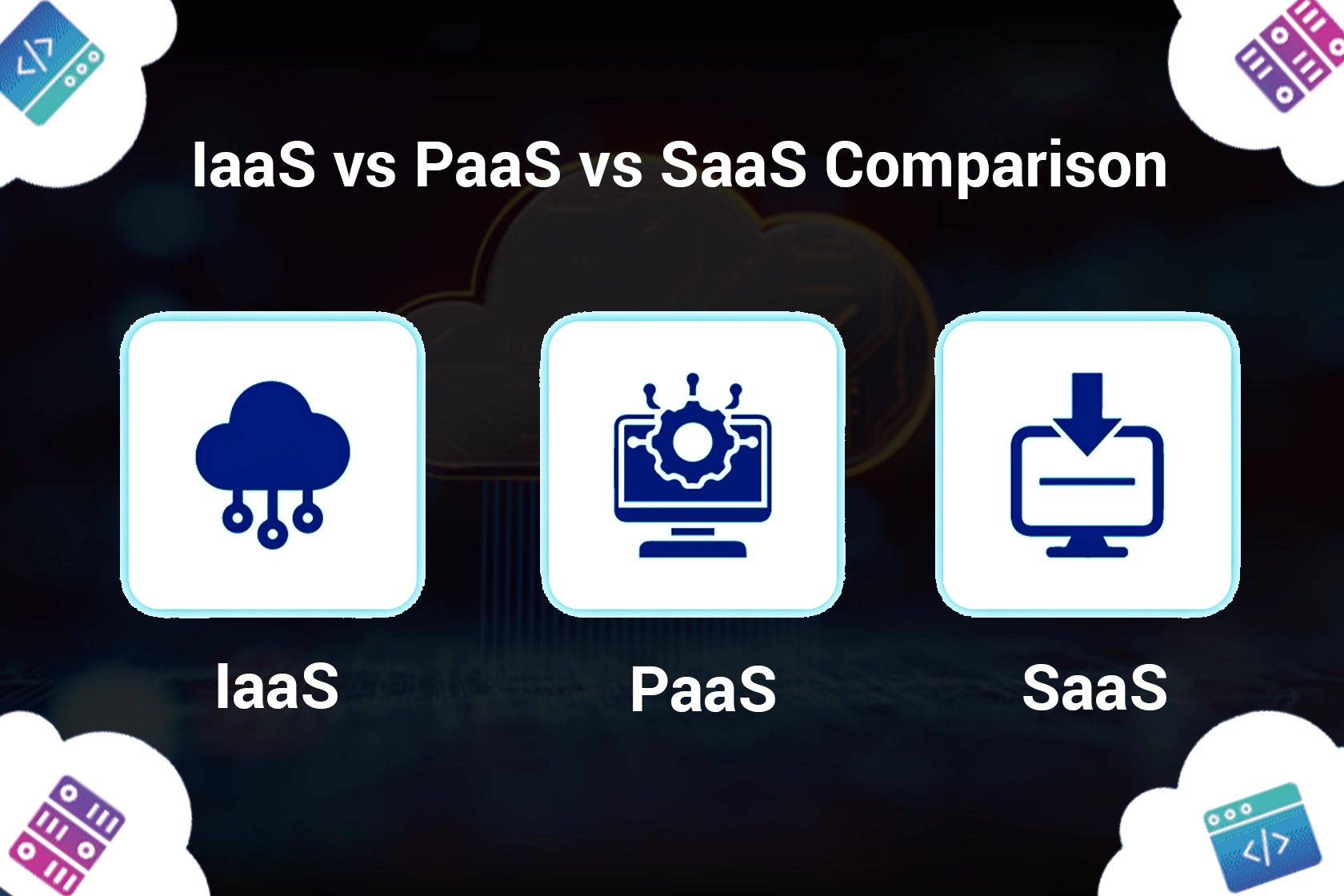
IaaS, PaaS, and SaaS are all service models of cloud computing, which have transformed how businesses store data, build applications, and deliver software.
This guide explains IaaS vs PaaS vs SaaS, the key cloud service models, their benefits, costs, pros, and cons, to help you choose the right cloud-based solution for your business in 2026.
Definitions & Core Concepts
Before understanding the IaaS vs PaaS vs SaaS, we want you to understand the concept of cloud computing.

Cloud Computing
It is basically the practice of using a network built of remote servers hosted on the internet to store, manage, and process data, avoiding a local server or a personal computer.
Cloud computing generally has four types: private clouds, public clouds, hybrid clouds, and multiclouds, and three types of service models attached to it, which we will be exploring in this blog.
Cloud computing models define how you use computing resources online, from infrastructure to full software applications.
The three primary service model types include
- Infrastructure as a Service (IaaS)
- Platform as a Service (PaaS)
- Software as a Service (SaaS)
Each model offers you a different level of control, management, and responsibility in the cloud environment.
IaaS (Infrastructure as a Service)
IaaS delivers cloud infrastructure servers, networks, and storage on a pay-as-you-go basis.
Businesses use IaaS when they need flexibility to manage their operating systems, applications, and data.
Examples
- AWS EC2
- Google Compute Engine
- Microsoft Azure
- Virtual Machines
PaaS (Platform as a Service)
PaaS provides a cloud platform for developers to build, test, and deploy applications without managing servers.
It simplifies development by offering ready-to-use tools, databases, and runtime environments.
Examples
- Google App Engine
- Microsoft Azure App Service
- Heroku
SaaS (Software as a Service)
SaaS delivers fully functional cloud software applications through the internet.
Users simply log in and start using them without having to deal with installation, maintenance, or updates required.
Examples
- Gmail
- Google Workspace
- Zoom
- Salesforce
- Netflix
Feature Comparison: IaaS vs PaaS vs SaaS
In order to compare the key differences between all three server models of cloud computing, we have given a comparison table for IaaS vs PaaS vs SaaS, which will make it easier for you to understand as a side-by-side comparison.

This table highlights the core differences between IaaS, PaaS, and SaaS models that define how businesses interact with cloud technology.
When reviewing the table, you must focus on three key factors
- Responsibility Split: Notice how management tasks shift from users (in IaaS) to providers (in SaaS).
- Scalability and Cost: Each model has different pricing and scaling options; align these with your project needs.
- Business Fit: Match your organization’s technical skill level and goals with the right service model for better performance and cost efficiency.
| Name of Service Model | Its Features | User Responsibility | Responsibility of the Cloud Computing Provider | Best For | Top 5 Recommendations |
| IaaS (Infrastructure as a Service) | Provides virtualized computing resources such as servers, networks, and storage. Highly scalable and flexible. Pay-as-you-go pricing model. | Managing operating systems, middleware, runtime, applications, and data. Handling cloud security for software layers. | Providing, maintaining, and securing cloud infrastructure (servers, virtualization, and networking). Ensuring uptime and scalability. | Businesses that need full control over infrastructure, system administrators, and companies running custom or legacy applications. | 1. Amazon Web Services (AWS EC2)2. Microsoft Azure Virtual Machines3. Google Compute Engine4. IBM Cloud Infrastructure5. Oracle Cloud Infrastructure (OCI) |
| PaaS (Platform as a Service) | It provides businesses with a ready-to-use cloud platform with tools for app development, testing, and deployment. Provides databases, runtime, and integrations. | Managing applications and data. Writing and deploying code. Monitoring performance. | Managing runtime, middleware, operating systems, and server infrastructure. Ensuring automatic scaling and platform updates. | Software developers and enterprises building, testing, and deploying modern web or mobile applications. | 1. Google App Engine2. Microsoft Azure App Service3. AWS Elastic Beanstalk4. Heroku5. Red Hat OpenShift |
| SaaS (Software as a Service) | Delivers complete cloud software applications online. Accessible via web browsers with subscription-based pricing. No installation required. | Managing user data, configurations, and access settings. Using the software securely and efficiently. | Hosting, updating, and securing the application. Handling performance, storage, and cloud security compliance. | End users, startups, and organizations need ready-made tools for communication, collaboration, or CRM. | 1. Google Workspace (Gmail, Docs, Sheets)2. Salesforce3. Zoom4. Slack5. Netflix |
Pros and Cons: IaaS vs PaaS vs SaaS
Understanding the pros and cons of IaaS, PaaS, and SaaS is very important for choosing the right cloud service model that helps you to balance control, scalability, and cost efficiency.
Each cloud service model provides you with unique advantages based on your organization’s size, technical expertise, and business goals.
This IaaS vs PaaS vs SaaS comparison explains where each model fits, what it offers, and how it impacts your overall cloud computing strategy.
Pros & Cons of PaaS
Platform as a Service provides a managed application development platform that includes tools, frameworks, middleware, and APIs for building, testing, and deploying applications quickly.
- It eliminates infrastructure headaches, allowing developers to focus on code.
- PaaS is perfect for developers or businesses focusing on innovation and speed rather than managing servers.
Pros of PaaS
- Faster development and deployment of applications with prebuilt tools and services.
- Reduces setup time and maintenance through automatic scaling and updates.
- Enables faster time-to-market for web and mobile applications.
- Encourages collaboration between development and operations teams.
Cons of PaaS
- Limited infrastructure control compared to IaaS.
- Vendor lock-in risks due to proprietary environments.
- Not ideal for applications that require custom hardware or OS configurations.
Pros & Cons of SaaS
Software as a Service (SaaS) delivers complete SaaS applications over the internet, removing the need for installation or maintenance.
- Providers host, update, and secure the software, while users simply access it through a browser.
- SaaS works best for startups, SMBs, or enterprises that need reliable cloud-based enterprise software such as CRM, productivity, or communication tools.
Pros of SaaS
- Quick setup and just requires signing in to start using the software.
- Automatic updates and security patches are managed by the provider.
- Subscription-based pay-as-you-go pricing ensures predictable monthly costs.
- SaaS tools are accessible from anywhere if you have an internet connection. It supports remote teams.
Cons of SaaS
- Limited customization and integration with on-premise systems.
- Data security and compliance depend on the provider’s safeguards.
- Performance depends on internet reliability and vendor infrastructure.
Pros & Cons of IaaS
Infrastructure as a Service (IaaS) provides the following through the cloud:
- Infrastructure servers
- Storage
- And networking
Businesses get full control over their operating systems and applications, while the provider handles the underlying hardware and virtualization. IaaS is best for organizations that want to host complex applications, run virtualization at scale, or manage custom enterprise software infrastructure.
Pros of IaaS
- Full control and customization of infrastructure.
- An ideal choice for enterprises with IT expertise.
- High IaaS scalability and flexibility for expanding workloads.
- Pay-as-you-go pricing reduces capital expenses and allows cost optimization.
- Works seamlessly with hybrid cloud and multi-cloud environments.
Cons of IaaS
- Requires advanced technical knowledge for maintenance and monitoring.
- Costs can rise if resources are not optimized.
- Users are responsible for managing middleware, runtime, and security at the software layer.
IaaS vs PaaS vs SaaS: Cost Comparison
When deciding between the three main cloud service models, IaaS, PaaS, and SaaS, understanding cost structures is an important factor.

- In 2026, pricing is beyond hourly rates, including the commitment levels, usage models, and hidden costs like data egress and vendor lock-in.
- This IaaS vs PaaS vs SaaS cost comparison can help you to estimate the total cost of ownership (TCO) and choose the right model for your business.
| Factor | Infrastructure as a Service | Platform as a Service | Software as a Service |
| Pricing Model | Pay-as-you-go pricing or reserved plans (AWS, Azure, GCP) | Subscription or usage-based for application development platforms | Subscription-based pay-as-you-go pricing per user or feature |
| What You Pay For | Compute, storage, networking, virtualization resources | Access to middleware, APIs, and development tools | Complete SaaS applications delivered online (CRM, collaboration) |
| Typical Monthly Cost Estimates | US: ~$40–$50/month for small VMEurope: ~$50–$60/monthAsia Pacific: ~$55–$65/month | US: ~$20–$100/month depending on usageEurope: ~$25–$110/monthAsia Pacific: ~$30–$120/month | US: ~$6–$60/user/monthEurope: ~$7–$65/user/monthAsia Pacific: ~$8–$70/user/month |
| Ideal For | Businesses needing full control, high IaaS scalability and flexibility | Developers building apps rapidly without managing servers | Organizations needing ready-to-use SaaS applications with minimal setup |
All pricing estimates given in the table above are indicative only and depend heavily on region, instance size, commitment level, operating system, and other factors.
When to use IaaS vs PaaS vs SaaS
You must know the management responsibility, scalability, and control of your business needs in order to choose between IaaS, PaaS, and SaaS.

From infrastructural heavy workloads to light-weight web apps, each service model serves a specific use case, and some of those have been given below.
Use cases for IaaS
Key IaaS use cases are as follows:
- Hosting enterprise applications and websites
This is ideal for scalable web hosting on platforms like AWS EC2, Azure Virtual Machines, or Google Compute Engine.
- Disaster recovery and backup
IaaS can be great as an affordable geo-redundant data storage and quick disaster recovery setup.
- Big data analysis and machine learning workloads
High-performance VMs in IaaS environments handle massive compute-intensive jobs efficiently.
- Test and development environments
Developers can spin up virtual machines on demand to test software before full deployment.
- Hybrid and multi-cloud strategies
Large enterprises can integrate IaaS for flexibility and cost control across multiple cloud providers.
Use cases for PaaS
As we already know, software developers and organizations that want to build, test, and deploy applications faster without managing servers or infrastructure can take advantage of using PaaS, Let us have a look at some key PaaS use cases below:

- Application Development and Deployment
Developers use platforms like Google App Engine, AWS Elastic Beanstalk, and Azure App Service for continuous integration and delivery (CI/CD).
- API and Microservices Development
PaaS supports modular and containerized app development, making integration and scalability easier.
- Data Management and Analytics
Built-in databases and middleware help to simplify big-data app creation.
- Faster Prototyping
This can be ideal for startups testing MVPs before scaling.
- Collaboration and DevOps enablement
Teams can work across distributed environments using shared development platforms.
Use cases for SaaS
The use cases for businesses looking for ready-to-use cloud applications that reduce IT maintenance and boost productivity via SaaS are given below.

- Collaboration and Communication Tools
SaaS tools like Slack and Microsoft Teams help with effective remote communication.
- Customer Relationship Management
Salesforce and HubSpot, like SaaS tools do not only manage customer data but also automate sales workflows, enhancing customer relationships and offering long-term value to businesses.
- Business Productivity
Productivity tasks like document creation, sharing, and project management can be enabled with tools like Google Workspace, Microsoft 365, and Zoho.
- Online Stores and Payment Systems
SaaS platforms like Shopify and Stripe support global online business operations.
- Streaming and entertainment
Services such as Netflix and Spotify run entirely on SaaS architecture.
Based on their use cases, IaaS can help you with control and scalability for your infrastructure-intensive projects, PaaS can help with faster app development and deployment, and SaaS can provide businesses with convenience and simplicity for a hassle-free use of cloud-based software.
Security & Compliance Across IaaS, PaaS, and SaaS
Security in cloud computing follows a shared responsibility model that includes what the provider secures versus what the user must secure.
Understanding this distinction helps businesses maintain data protection, governance, and compliance across IaaS, PaaS, and SaaS environments.
| Model | What the Provider Secures | What the User Secures | Compliance Level |
| IaaS (Infrastructure as a Service) | Physical servers, storage, virtualization, and networking. Ensures uptime, redundancy, and physical data center security. | Operating systems, applications, middleware, runtime, data, access control, and encryption. | High-level ComplianceCustomizable security and compliance (ISO 27001, SOC 2, HIPAA, GDPR). |
| PaaS (Platform as a Service) | Infrastructure, runtime, middleware, operating systems, and automated patching. | Application code, APIs, user data, and secure configuration management. | Moderate to high-level complianceProvider-managed compliance (SOC 2, PCI DSS, FedRAMP). |
| SaaS (Software as a Service) | Full application stack, infrastructure, and data hosting. Handles updates, storage, and security compliance. | User accounts, access permissions, data privacy settings, and safe usage practices. | Very high-level complianceProvider-certified standards (GDPR, ISO 27018, HIPAA). |
IaaS vs PaaS vs SaaS Examples
In order to see the key differences for IaaS, PaaS, and SaaS, we will also take a look at some key providers, their service models, examples, and their use cases.
Each model serves a different layer of the cloud stack: infrastructure, platform, or software.
| Cloud Model | Top Providers | Examples | Primary Use Cases |
| IaaS | Amazon Web Services, Microsoft Azure, Google Cloud Platform, IBM Cloud, Oracle Cloud Infrastructure | AWS EC2, Azure Virtual Machines, Google Compute Engine, IBM Bare Metal Servers, OCI Compute | Virtual machines, storage, networking, hybrid cloud setups, disaster recovery, scalable infrastructure. |
| PaaS | AWS, Azure, Google Cloud, Heroku, Red Hat OpenShift | AWS Elastic Beanstalk, Azure App Service, Google App Engine, Heroku, Red Hat OpenShift | Application development and deployment, APIs, databases, containerized workloads, middleware hosting. |
| SaaS | Google, Microsoft, Salesforce, Zoom, Shopify | Google Workspace (Gmail, Docs, Sheets), Microsoft 365, Salesforce, Zoom, Slack, Shopify, Netflix | CRM, collaboration tools, communication platforms, e-commerce, and on-demand streaming. |
These examples clearly show how IaaS focuses on infrastructure, PaaS on development platforms, and SaaS on ready-to-use cloud software.
Each model plays a vital role in the modern cloud computing ecosystem and complements the others for complete digital transformation.
IaaS vs PaaS vs SaaS: Trends and Future
Let’s look at how these cloud service models (IaaS, PaaS, SaaS) are evolving in 2025 and 2026, and what these changes mean in simple terms.
AI and Machine Learning Powering the Cloud
Cloud computing is now more advanced due to the integration of AI acting as a smart assistant.
- In IaaS, cloud providers like AWS, Azure, and Google Cloud are adding special servers (like GPU instances) that can run AI models faster.
- In PaaS, developers can now use built-in AI APIs and machine learning tools without setting them up themselves.
- And in SaaS, apps like Salesforce and Google Workspace already use AI to automate emails, analyze data, and predict customer behavior.
Hybrid Cloud and Multi-Cloud Will Be the New Normal
Earlier, companies used to pick one cloud provider. Now, most use a hybrid cloud (mix of private and public clouds) or multi-cloud (two or more providers), because it is safer, faster, and gives more control.
- For example, a company might store customer data on AWS (IaaS), develop apps on Azure App Service (PaaS), and run business tools on Google Workspace (SaaS).
- In 2026, expect to see IaaS scalability and flexibility grow even more as hybrid and multi-cloud solutions become standard for large businesses.
The Boom of Serverless, Containers, and Low-Code Platforms
With PaaS and IaaS, developers don’t have to manage servers manually anymore. Instead, they can use serverless computing (the cloud runs code automatically) or containers (pre-packed mini apps).
- Low-code platforms like OutSystems or Google AppSheet let people build apps by dragging and dropping, no deep coding needed.
- By 2026, expect IaaS, PaaS, and SaaS integration to be smoother, allowing apps to move between models faster than ever.
Rise of Green Cloud Computing and Industry Clouds
Cloud providers are now focusing on sustainability by reducing energy use and going carbon-neutral.

- At the same time, we’ll see more industry-specific clouds in 2026, for example, healthcare clouds with built-in HIPAA compliance or finance clouds meeting banking standards.
- So, SaaS applications like Salesforce Financial Cloud or Microsoft Cloud for Healthcare are already leading the way.
Merger of Cloud Models
In the future, the lines between IaaS, PaaS, and SaaS won’t be so clear.
- Providers will start bundling them, offering packages that give you infrastructure, development tools, and apps all in one.
- For example, AWS already combines IaaS (EC2) and PaaS (Elastic Beanstalk) to create a complete developer environment.
- By 2026, expect more “cloud bundles” that make it easy for startups and enterprises to scale fast without juggling multiple platforms.
How to Choose the Right Model for Your Business
Choosing between IaaS, PaaS, and SaaS depends on your goals, budget, and technical needs.

- Pick IaaS if you need complete control, custom apps, and scalability and flexibility.
- Choose PaaS for faster app development and middleware APIs without managing servers.
- Pick SaaS if you want a ready-made enterprise software like Salesforce or Microsoft 365 with built-in security and compliance.
You can also use a multi-cloud mix, like IaaS for infrastructure, PaaS for development, and SaaS for daily operations.
Final Remarks
Cloud computing has become a necessity of digital transformation. In 2025, most companies are still choosing between IaaS vs PaaS vs SaaS based on control, scalability, and cost. But by 2026, the focus will shift toward integration, AI-driven automation, and sustainable cloud ecosystems.
Understanding the differences between IaaS, PaaS, and SaaS helps you plan smarter, scale faster, and control costs better.
If you want to know more about SaaS updates, keep visiting Latest SaaS Updates.
Frequently Asked Questions
What is the key difference between SaaS, PaaS, and IaaS service models?
SaaS delivers fully ready-to-use software online. IaaS provides infrastructure resources like storage and servers. PaaS provides with a platform for building and deploying applications, and
How does cost differ between IaaS, PaaS, and SaaS?
IaaS has a pay-as-you-go pricing model based on compute and storage usage. PaaS charges for developer tools and runtime environments. SaaS uses a subscription-based model charged per user or feature.
Which cloud model offers the most scalability?
IaaS offers the highest scalability and flexibility because it lets users scale their computing resources up or down instantly.
Can a business use IaaS, PaaS, and SaaS together?
Yes. Many companies adopt a multi-cloud, using IaaS for infrastructure, PaaS for development, and SaaS for day-to-day business tools like email and CRM.
How secure are IaaS, PaaS, and SaaS cloud computing service models?
They follow a shared responsibility model. The provider secures the infrastructure, and the users must secure data, applications, and access controls. In SaaS models, providers handle most security tasks, while IaaS users have more responsibility.
